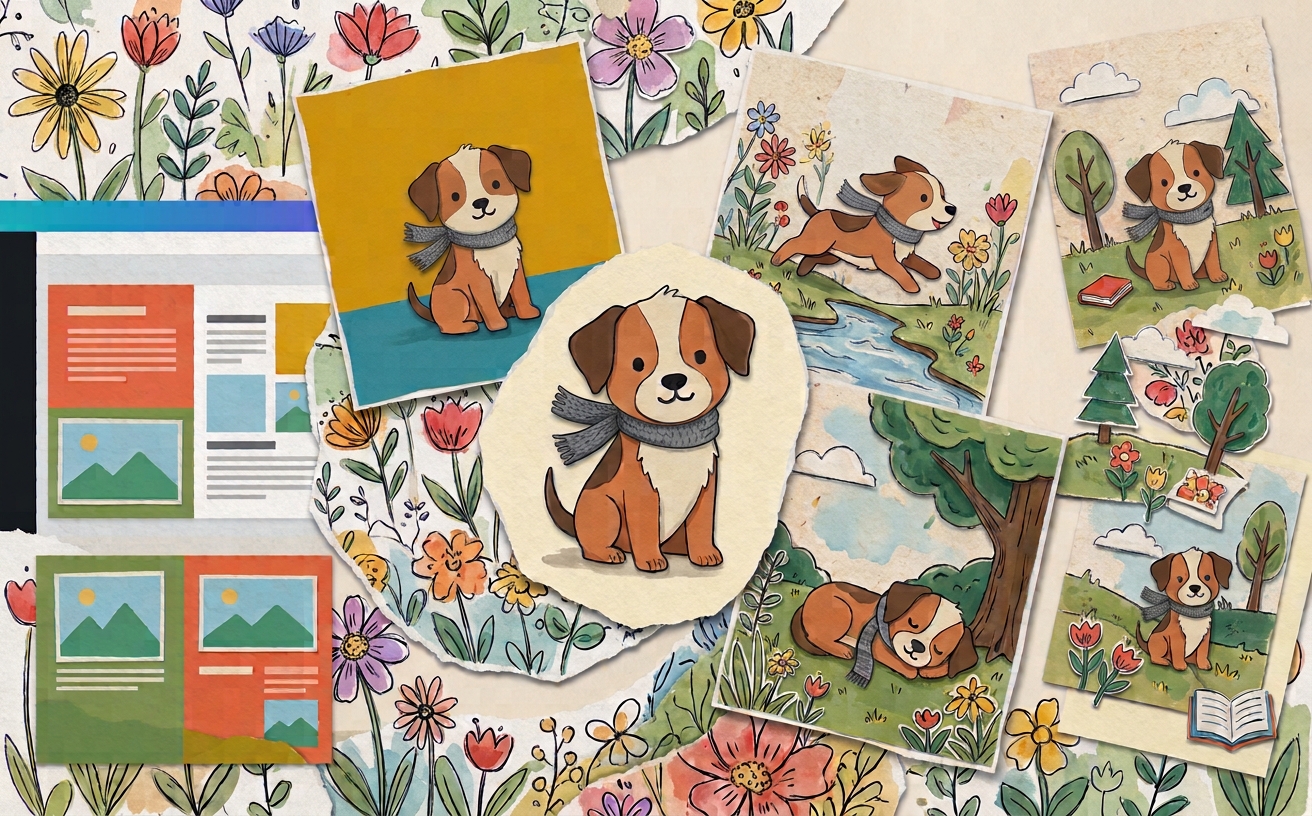
Can you make a Canva children's book? Yes, and for a lot of projects it's a fine place to start. Canva is strong at layout: placing text, images and color on a page. It stops being the easy choice when your illustrated story needs the same character to look the same across many pages.
We make a book tool, so you should read this with that in mind. We'll be fair anyway, because the honest answer helps you more than a sales pitch. Some books belong in Canva. Some don't.
Where does Canva work well for a kids' book?
Canva is a general design tool, and a picture book is, partly, a design project. It does these jobs well:
- Layout and typography. Dragging a text box next to a picture and trying five fonts takes seconds.
- Cover and interior mockups. Good for roughing out how a page spread might feel.
- Using art you already have. If you have an illustrator, or your own drawings, Canva is a friendly place to assemble them.
- Printables and one-offs. A classroom handout, a birthday card, a short activity booklet.
If your pictures already exist, Canva could be all you need. Honestly, it might be.
What does Canva's own help say about printing a book?
Printing is where details matter, and Canva documents them. As of October 2026, Canva's help page on margins, bleed and crop marks says Canva adds 0.125 inches (3.175 mm) of bleed on all sides for products that get trimmed, and that the bleed size is fixed and can't be changed. It also says you can turn on "Show print bleed" under File > Settings, and tick "Crop marks and bleed" when you download a PDF Print file.
That's useful to know before you design a picture book that runs art to the page edge. Amazon's KDP print options page lists the trim sizes and choices a printer expects, so check both before you commit to a page size. We're only reporting what these pages say as of October 2026, so please confirm against the current versions.
Where does a Canva children's book stop working?
The stopping point isn't layout. It's the pictures. Imagine your story has Penny, a puppy in a green scarf. On page one, you get a lovely Penny. On page two, Penny needs to be jumping over a stream. On page nine, asleep under a tree. Where does each of those Pennys come from?
- An illustrator, who draws each page and keeps Penny steady by skill.
- Your own drawings, if you draw.
- Pictures made with an image tool, one page at a time, outside Canva.
That third route is where it gets hard. Image tools treat each request as a fresh start, so Penny's scarf changes shade, then stripes, then vanishes. Canva can arrange those images beautifully, but it can't make them match. We wrote about why in the "page seven" problem in AI picture books.
Layout tools arrange pictures. They don't keep a character the same from one picture to the next. That job belongs somewhere earlier in the process.
How does a book-specific tool handle the same character on every page?
Storybench is built for exactly this: you write the story, it illustrates the pages, and your characters stay consistent throughout. You create Penny once as a cast member, add settings and props, and keep them all in a World that locks one illustration style from a range of 2D and 3D options. Every page you illustrate inherits that cast, so you never re-describe Penny or type style words. You write and direct; the AI illustrates, and you can re-illustrate any page until it's right.
For the how and why, see our guide to how it works. And if you want the side-by-side, our Storybench vs Canva comparison lays it out.
What should you decide before you open any design tool?
Whichever tool you pick, a few choices come first, and they're cheaper to make on paper than on page twelve.
- Page shape. Square, portrait or landscape changes how art and words share a page.
- Page count. Picture books usually run in short, fixed blocks, so ask your printer what it accepts.
- Where the words go. Text over art, text beside art, or text on its own page.
- How the cast looks. Write down Penny's colors, clothes and quirks in one place, even if only for yourself.
That last one is the quiet hero. A written character sheet helps in Canva, with an illustrator, or anywhere else, because it gives every page the same starting point.
How do you choose between them? A quick checklist
- Do the pictures already exist? If yes, Canva is likely enough.
- Does one character appear on many pages? If yes, you need consistency, not just layout.
- Is it a one-page or short project? Canva. Is it a 24-page book you might turn into a book series? A book tool.
- Do you need a print-ready PDF and an ebook from the same pages? Check what each tool exports before you start.
Plenty of people use both: illustrate in a book tool, then polish a cover or a promo graphic in Canva. Nobody gives out medals for using one tool. For more options, see our roundup of the best tools to make an illustrated kids' book.
Frequently asked questions
Does Canva have children's book templates?
Canva offers a large template library, and you can search it for book layouts. We haven't verified specific children's book templates on an official page, so browse Canva's own template search to see what's available today.
Can you make a print-ready children's book in Canva?
Canva's help page says it adds 0.125 inches of bleed and can export a PDF Print file with crop marks and bleed (as of October 2026). Whether the result meets your printer's rules is something to confirm with the printer.
Can Canva keep the same character across pages?
Canva arranges images you bring to it. It doesn't draw your character for you, so consistency depends on where the pictures come from.
Is Storybench a Canva replacement?
No. Canva is a general design tool and Storybench is built for one thing: illustrated books with recurring characters. Many people will want both.
Try it on page seven
The real test of any tool is the page after your character's big moment. Build your cast, illustrate a few pages, and see if Penny still looks like Penny. If yes, keep going. If not, you've lost nothing but an evening.