A World is the home for one story universe. Everything you build inside it (your characters, your places, your objects, your books) shares one look and one feeling. Creating a World is a single, short screen.
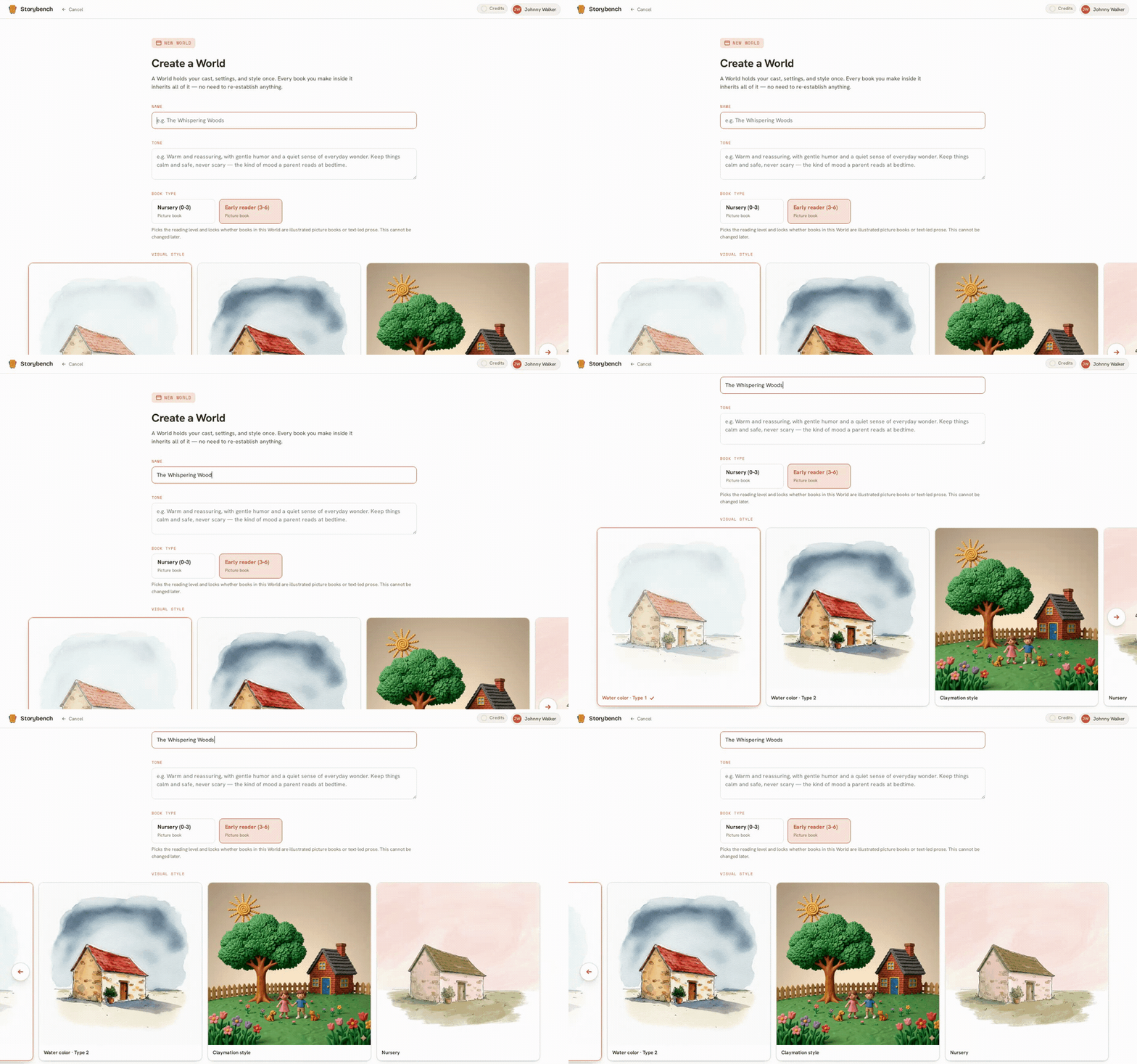
What you choose
There are four things to set:
- A name. Whatever your story world is called. You can change this later.
- A reading age. Who the books are for. This gently guides the feel of your pages.
- A visual style. The overall look of every illustration. You choose from a range of 2D and 3D styles, and you pick just one.
- A tone. A short description of the mood in your own words, for example warm and gentle, or bright and silly. This colours how scenes are illustrated.
Why the style is locked
Once your World is created, the visual style stays fixed. This is on purpose. If page three were painted in watercolour and page four in glossy 3D, your book would fall apart, and so would a shelf of books that are meant to belong together. Locking the style is what lets your characters stay recognisably themselves across every page and every book in the World.
If you decide you want a different look, that is completely fine: you make a new World and build there. Think of a World as one visual family. A new look is simply a new family.
What comes next
With your World created, you are ready to add your cast. That is the single most important thing you will do in Storybench, so we walk through it slowly in build your cast.