Here is the whole happy path, beginning to end. You will make a World, give it one character, start a book, and illustrate a page. It takes a few minutes.
1. Sign in
You can sign in with a magic link (we email you a one-tap link) or with your Google account. There is no password to remember.
2. Create a World
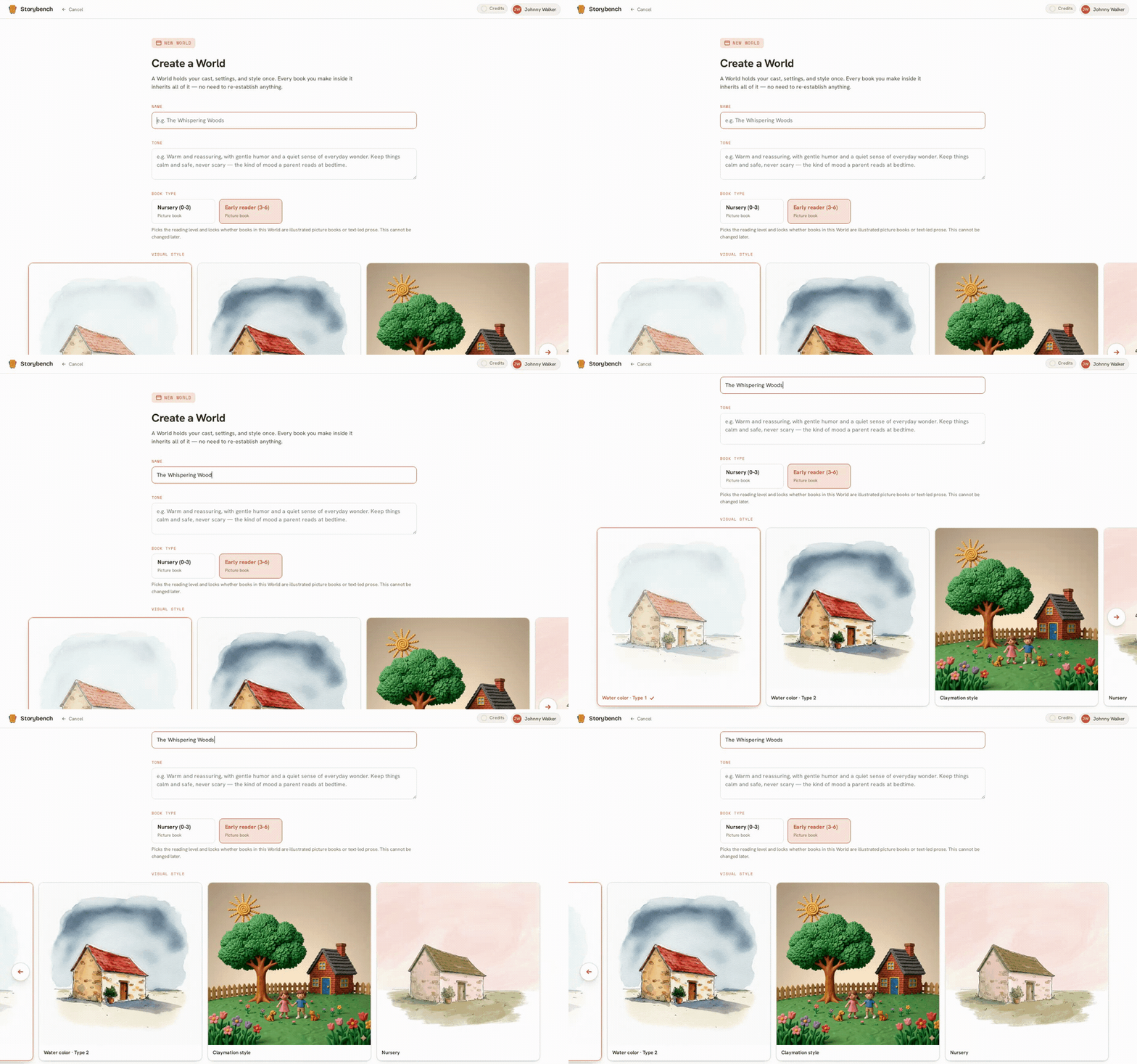
A World is the home for one story universe. On the create screen you give it a name, choose the reading age you are writing for, pick a visual style, and describe the tone in your own words.
One thing to know up front: the visual style is chosen here and then stays fixed for the whole World. That is what keeps every page looking like it belongs together. If you want a different look later, you make a new World. More on this in create a World.
3. Add one character
Open your new World and add a character to the cast. Give them a name and a short description, then give them reference pictures, either by uploading art you already have or by generating some. Those references are what the character will look like everywhere, so it is worth getting them right this one time.
4. Start a book
Still inside your World, start a new book. Give it a title, choose whether it is one simple story or split into chapters, pick a reading age, and choose the page shape (we call it the Form). The Form fixes the shape of every page in the book.
5. Write and illustrate a page
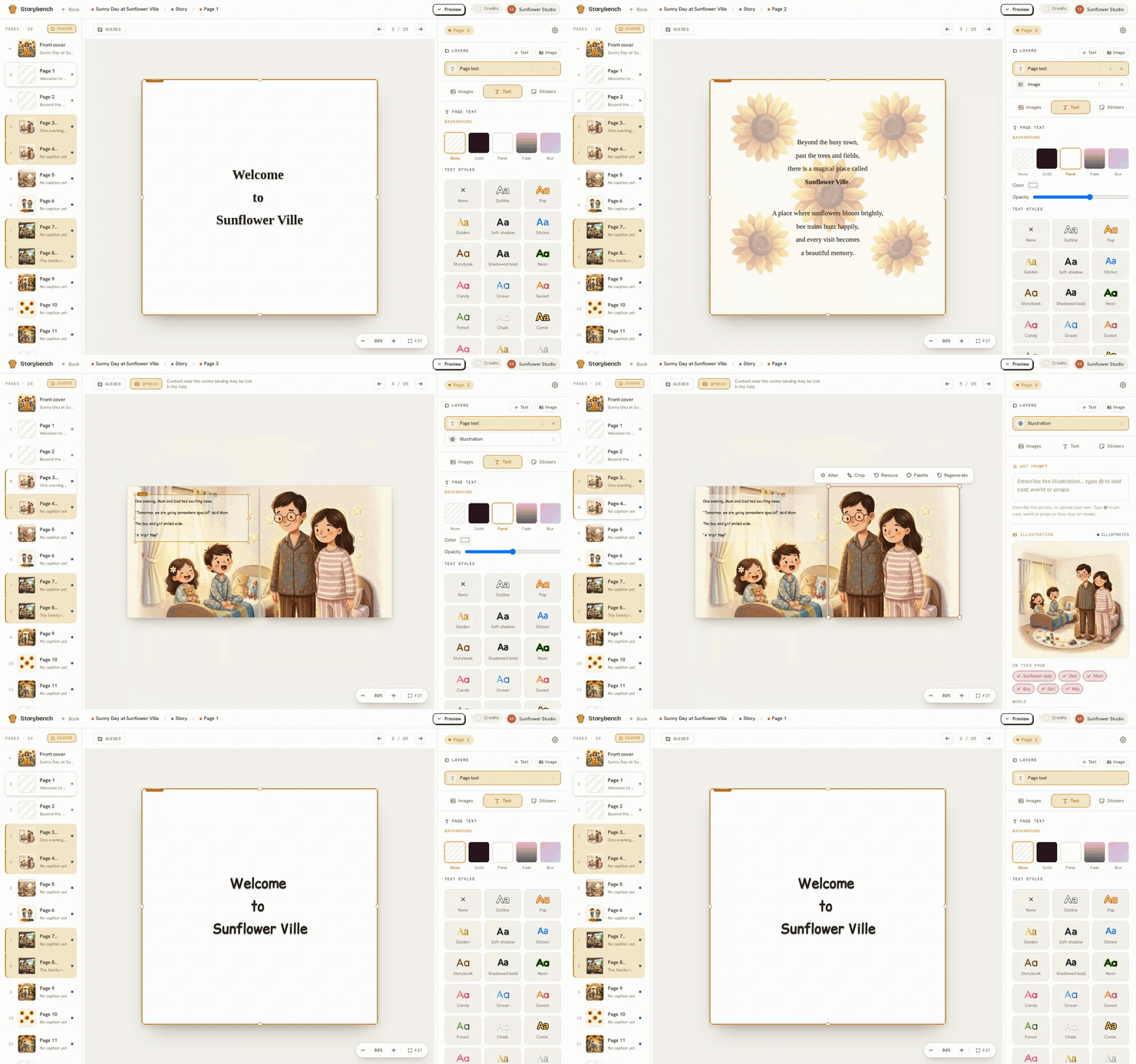
Open the book, write the words for your first page, and press Illustrate page. Your character arrives looking like their references, in your chosen style, without you typing a single style word.
A quick note on what is free. Browsing and building are open to everyone. Making illustrations needs an active subscription and uses credits, and a page needs at least one reference picture before it can be illustrated. Exporting your finished book is always free. Read more in browsing and costs.
Next, the idea that makes all of this hold together: how your characters stay consistent.